Why Travelers Are Targeted
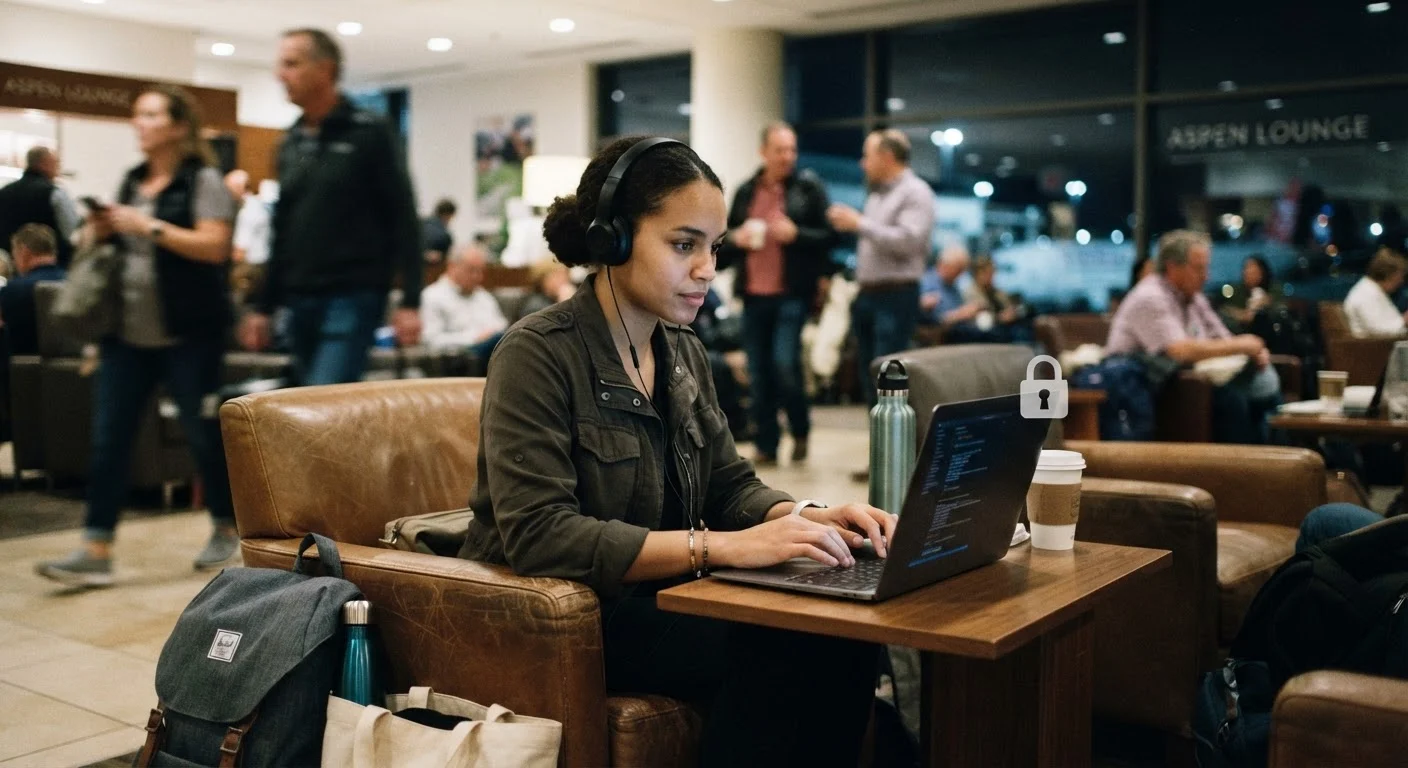
Travelers present a distinct profile that makes them attractive targets for digital threats. They frequently connect to unfamiliar networks, use devices in public spaces, access financial accounts under time pressure, and are less likely to notice suspicious activity until they are home. These behaviors — unavoidable parts of most trips — create windows of opportunity that cybercriminals and scammers actively exploit.
The risks are not hypothetical. Unsecured public Wi-Fi allows for a technique called a man-in-the-middle attack, where a third party intercepts data passing between your device and a website. Phishing emails and texts frequently impersonate airlines, hotels, and banks. ATM fraud, card skimming, and SIM-swapping are all documented threats in high-traffic travel hubs worldwide. Our article on scams targeting tourists covers social-engineering tactics that often accompany digital theft.
Being informed is your first line of defense. Understanding how these threats work — and when you are most exposed — allows you to make deliberate choices rather than reactive ones. The steps below are practical, not technical, and are suited for any traveler regardless of their digital background.
What you will need
Step-by-Step: Securing Your Digital Life on the Road
The following steps are designed to be completed partly before departure and partly throughout your trip. They require no advanced technical knowledge — only attention and a modest investment of time before you leave home.
VPN (Virtual Private Network) App
Encrypts your internet connection on public Wi-Fi, making it significantly harder for third parties to intercept your data.
Password Manager
Stores complex, unique passwords for all accounts so you never need to reuse credentials or write passwords down while traveling.
Two-Factor Authentication App
Generates time-sensitive login codes that protect accounts even if a password is compromised.
Travel Credit Card with Fraud Alerts
Cards with real-time transaction notifications allow you to spot unauthorized charges immediately.
Encrypted Cloud Backup
Keeps a secure copy of essential documents and photos accessible if a device is lost or stolen.
Update All Devices and Apps Before Departure
Outdated software often contains known security vulnerabilities that attackers can exploit. Before your trip, update your operating system, browser, and all apps — especially banking, messaging, and email applications. Enable automatic updates where possible so security patches apply without manual intervention.
Enable Two-Factor Authentication on Key Accounts
Two-factor authentication (2FA) adds a second verification step — typically a time-sensitive code — beyond your password. Enable it on email, banking, and any accounts holding sensitive information. Use an authenticator app rather than SMS codes where possible, as SMS can be intercepted through SIM-swapping attacks. Our guide on setting up two-factor authentication covers the process in plain language.
Install and Configure a VPN
A VPN (Virtual Private Network) encrypts your internet traffic, making it much harder for anyone on the same network to monitor your activity. Choose a reputable service and test it on your home network before departure. Activate the VPN every time you connect to a public or hotel Wi-Fi network. For more on why encryption matters, see our article on end-to-end encryption.
Notify Your Bank and Monitor Transactions
Inform your bank and card issuers of your travel dates and destinations before you depart. This reduces the chance of legitimate transactions being flagged and blocked. Enable real-time transaction alerts via your banking app. Check your accounts every one to two days while traveling to spot any unauthorized charges quickly. Understanding the difference between debit and credit card fraud protections can help you choose which cards to carry.
Use ATMs Cautiously and Inspect Card Readers
ATM skimmers — devices criminals attach over card slots to copy card data — are a documented risk at standalone ATMs in tourist areas. Prefer ATMs located inside bank branches during business hours. Before inserting your card, gently tug on the card reader to check for any loose overlay. Cover the keypad with your hand when entering your PIN to block any hidden cameras positioned overhead.
Manage Browser and Device Privacy Habits
On shared devices such as hotel business-center computers, use private or incognito browsing mode and log out of all accounts before closing the session. Clear cookies and browsing history after each session. For more on what browsers store, see our overview of cookies, cache, and browsing history. On your own devices, disable automatic Wi-Fi joining so your phone does not silently connect to unfamiliar networks.
Back Up Your Data Before You Travel
If a device is lost, stolen, or damaged, you want your data recoverable without paying a ransom or losing it entirely. Back up photos, contacts, and important documents to an encrypted cloud service or a secure external drive before departure. Keep the backup independent of the device itself so a single incident does not result in total loss.
Never Use Public Wi-Fi for Banking
Unsecured public networks — in hotels, airports, and cafés — can expose login credentials and financial information to other users on the same network. Even networks that look legitimate may be rogue hotspots designed to intercept traffic. Avoid logging into bank or payment accounts on any public network unless you are using a trusted VPN.
Set Up Security Measures Before You Leave Home
Configuring a VPN, enabling two-factor authentication, and updating all device software is far easier on a familiar home network than troubleshooting mid-trip. Build these steps into your pre-departure checklist alongside packing and documentation. See our travel documents checklist for a practical companion guide.
What to Do If Your Data Is Compromised
Despite careful precautions, breaches can happen. If you suspect your data has been accessed without authorization — unusual account activity, unexpected password-reset emails, or unfamiliar charges — act quickly. Change the password for the affected account immediately from a trusted device and network. Contact your bank directly using the number on the back of your card, not any number provided in a suspicious message.
If a device is lost or stolen, use remote wipe features (available on most smartphones through the manufacturer's account) to erase data before it can be accessed. Report the theft to local authorities and obtain a police report, which may be required by your bank or travel insurer. For broader guidance on responding to a potential compromise, see our article on signs your device may have been compromised.
Solo travelers in particular should establish a check-in protocol with someone at home — a trusted contact who can help coordinate remotely if you lose access to your devices. Our guide to solo travel safety addresses this and other vulnerability-specific strategies.
Beware of Fake Wi-Fi Network Names
Criminals sometimes set up Wi-Fi hotspots with names that closely mimic legitimate venue networks — for example, "Airport_Free_WiFi" instead of an official carrier network. Always confirm the exact network name with venue staff before connecting. When in doubt, use your mobile data connection or a personal hotspot instead.