What Two-Factor Authentication Actually Means
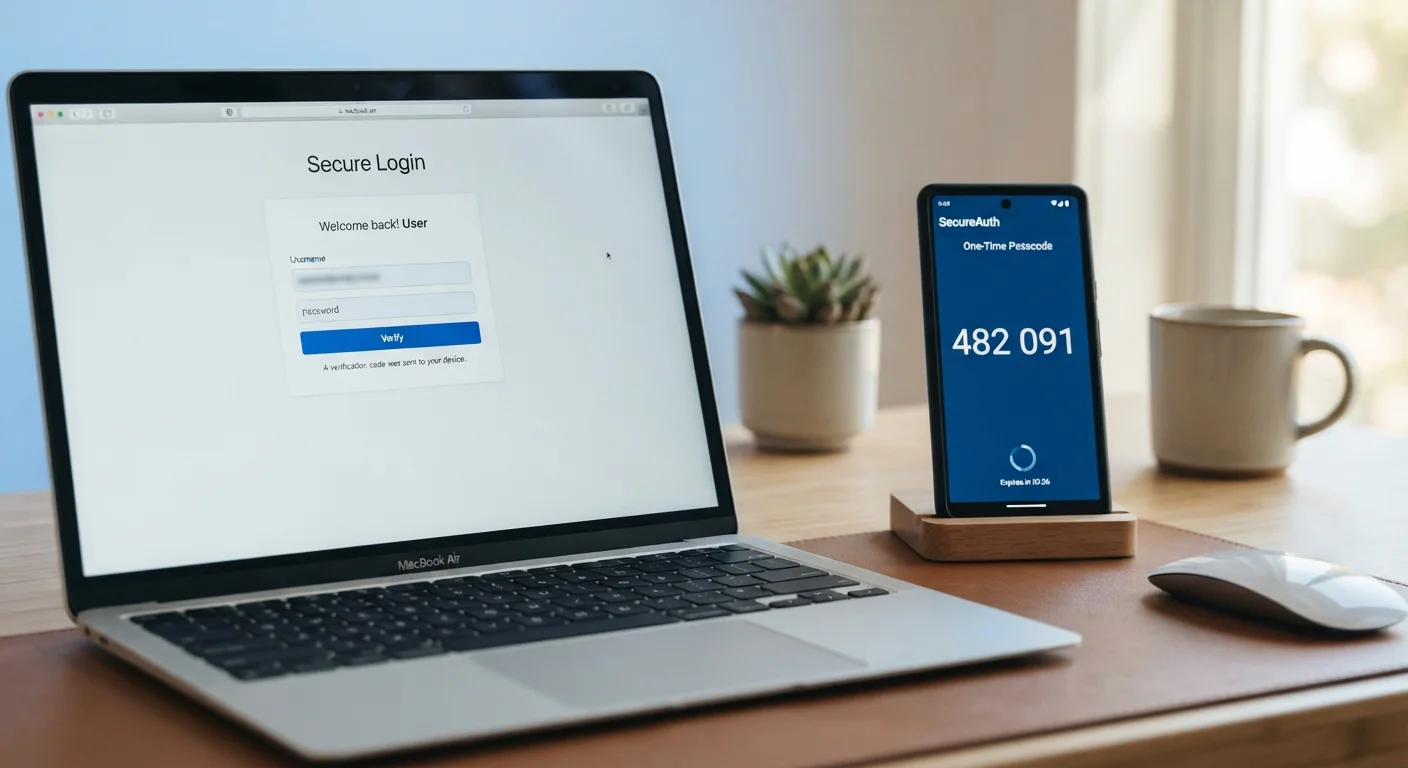
Two-factor authentication — commonly written as 2FA — is a login method that requires you to prove your identity in two distinct ways before granting access to an account. Think of it like a bank vault that needs both a key and a combination: possessing one alone gets you nowhere.
In practice, the two factors come from different categories: something you know (your password), something you have (your phone or a physical security key), or something you are (a fingerprint or face scan). Most everyday 2FA combines your password with a temporary code sent to or generated by a device you own.
Two-factor authentication (2FA)
A login security method that requires two separate proofs of identity — typically your password plus a temporary code — before allowing access to an account.
Authenticator app
A smartphone application that generates short-lived numeric codes used as a second login factor, without needing to send anything over a phone network.
SIM swapping
A form of fraud where an attacker convinces a mobile carrier to transfer a victim's phone number to a SIM card the attacker controls, letting them receive the victim's SMS codes.
Backup codes
One-time-use recovery codes provided when you set up 2FA, which let you regain account access if your primary second factor is unavailable.
Phishing
A deceptive attack where someone impersonates a trusted source — via email, text, or a fake website — to trick you into revealing your login credentials.
Multi-factor authentication (MFA)
A broader term for any login system that requires more than one form of verification; 2FA is the most common form, using exactly two factors.
This is part of a broader set of habits covered in keeping your digital accounts secure — 2FA is one of the most impactful single steps you can take.
Why a Password Alone Isn't Enough
Passwords fail in ways that have nothing to do with how clever yours is. Large-scale data breaches — where hackers steal login databases from websites — expose millions of passwords at once. Phishing attacks trick users into typing credentials into fake login pages. Password-reuse across sites means one breach can unlock many accounts.
Once a thief has your password, a single factor is all that stood between them and your account. Two-factor authentication changes the equation: even if your password is known, the attacker still needs physical access to your second factor, which they almost certainly don't have.
Never Enter a Code From an Unsolicited Message
Legitimate services will never ask you to share your 2FA code over the phone, via text, or through a link sent in an email you didn't request. If someone contacts you claiming to need your code to "verify your account" or "prevent suspension," that is a social engineering attempt. Hang up or close the message and log in directly through the official website.
This risk extends beyond your home network. If you travel frequently, the digital security guidance for travelers explains how public Wi-Fi and other on-the-road risks make 2FA especially valuable away from home.
The Different Types of 2FA
Not all second factors are created equal. Understanding the options helps you choose what fits your situation.
- SMS text message codes: A one-time code is sent to your phone number. Easy to set up, widely supported, but vulnerable to SIM-swapping (where a bad actor convinces your mobile carrier to redirect your number).
- Authenticator apps: Apps like those offered by major tech companies generate time-sensitive codes directly on your device without needing a network connection. These codes aren't transmitted over a phone network, making them harder to intercept.
- Push notifications: Some services send a pop-up to a trusted app asking you to approve or deny the login. Quick and simple — but requires your phone to be online.
- Hardware security keys: A small physical device you plug in or tap. The strongest widely available option, typically used for high-security accounts.
- Biometrics: Fingerprint or face recognition, usually as part of an app's approval flow rather than a standalone 2FA method.
Authenticator Apps: A Practical Starting Point
If you're new to 2FA, starting with an authenticator app on your smartphone strikes a good balance between security and convenience. They work without a cell signal, generate codes that expire quickly, and are free to use. Set one up for your email account first — it's often the master key to all your other accounts.
How to Turn On 2FA for Your Accounts
The process is similar across most platforms. Here's the general path to follow:
- Go to your account settings. Look for a section labeled Security, Privacy, or Login & Security.
- Find the 2FA or two-step verification option. It may also appear as Multi-Factor Authentication (MFA).
- Choose your preferred method. If you're given a choice, an authenticator app is a stronger option than SMS.
- Follow the setup prompts. For authenticator apps, you'll typically scan a QR code with your phone's camera.
- Save your backup codes. Most services provide a set of one-time recovery codes. Store these somewhere secure — a printed copy in a safe place works well.
It's worth pairing this with good password habits. The difference between a password manager and saving passwords in your browser explains how to store credentials safely alongside your new 2FA setup.
Common Concerns — and Realistic Answers
Many people delay setting up 2FA because of practical worries. These are worth addressing directly.
- "It sounds complicated."
- The setup typically takes five to ten minutes per account. Most platforms guide you through each step with clear on-screen instructions.
- "What if my phone battery dies?"
- Backup codes cover this scenario. You can also pre-authorize a trusted device — like a home computer — so that device doesn't always require a second factor.
- "I'm not a target for hackers."
- Automated attacks don't select targets individually — they sweep through leaked credential lists at scale. Anyone with an email address or a bank account is a potential target simply by existing online.
If you're also thinking about security across connected devices in your home, the smart home security guide covers how to reduce vulnerabilities across your entire home network — a natural complement to securing individual accounts with 2FA.
This article provides general information about digital security practices and is not a substitute for professional cybersecurity advice tailored to your specific situation or organization.