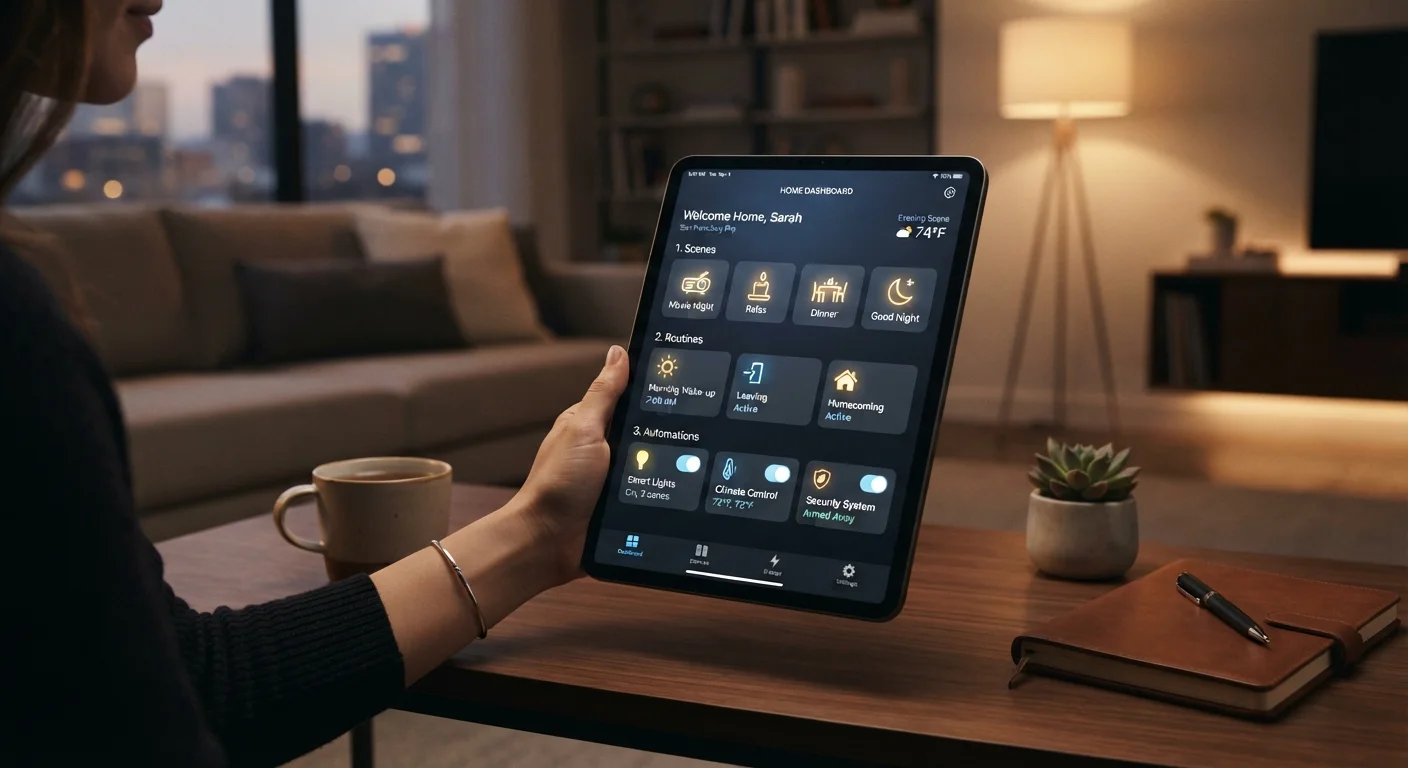
Why the Terminology Feels Confusing
If you've ever set up a smart home platform — whether it's Google Home, Amazon Alexa, Apple Home, or Samsung SmartThings — you've almost certainly run into a wall of overlapping terms. Scene. Routine. Automation. Shortcut. Each platform uses these words a little differently, and sometimes the same word means different things depending on which app you're in.
The confusion is real, but the underlying concepts aren't complicated once you understand what each one is actually doing. Think of it this way: scenes set a state, routines chain actions together, and automations trigger things without you lifting a finger. Understanding that distinction changes how you use your smart home — and makes troubleshooting far easier. See our step-by-step smart home setup guide if you're just getting started.
| Scene | A saved multi-device state activated by a manual trigger |
| Routine | A sequenced, multi-step workflow triggered manually or on schedule |
| Automation | A hands-off action triggered by a real-world condition or sensor |
| Common trigger types | Time, location, sensor state, device state, voice command |
| Platforms that use 'Routine' | Amazon Alexa, Google Home |
| Platforms that use 'Automation' | Apple Home, Samsung SmartThings |
Scenes: A Snapshot of Device States
A scene is essentially a saved configuration — a snapshot of what you want multiple devices to be doing at the same moment. When you activate a scene called "Movie Night," your platform simultaneously dims the living room lights to 20%, turns the floor lamp amber, and lowers the thermostat by two degrees. You're not telling each device what to do one by one; you're recalling a preset group state with a single tap or voice command.
Scenes are purely reactive — they do nothing on their own. Something has to trigger them: a tap in the app, a voice command, a button press, or another automation. That's an important distinction. A scene isn't smart in the autonomous sense; it's a convenience shortcut you invoke manually or as part of a larger sequence. Most platforms — Apple Home calls them "Scenes," Google Home also uses the term — implement this concept nearly identically.
Scene
A saved snapshot of multiple device states — brightness levels, temperatures, colors — that can be recalled instantly with a single command or tap.
Routine
A scripted sequence of actions (sometimes including delays or non-device steps like voice announcements) that runs when triggered by a schedule, command, or event.
Automation
A rule that executes an action automatically in response to a real-world condition — such as a sensor reading, time of day, or device state change — without any manual input.
Trigger
The condition or event that causes a scene, routine, or automation to activate. Triggers can be time-based, sensor-based, location-based, or manually initiated.
Conditional logic
An added layer of rules that restricts when an automation fires — for example, 'only run this if someone is home' — preventing unwanted actions.
Hub
A central device or app that coordinates communication between smart home devices, enabling scenes, routines, and automations to work across multiple products.
Routines: Chained Actions With More Flexibility
A routine (the term Amazon Alexa popularized, though Google Home uses it too) is a multi-step sequence of actions that runs in order when triggered. Where a scene snaps multiple devices to a state simultaneously, a routine can include a series of steps — turn on the coffee maker, wait 10 minutes, play a morning news briefing, read the weather aloud — potentially with delays between them.
Routines can also include non-device actions: sending a notification, reading a personalized message, or adjusting a setting. They're best thought of as scripted workflows. The trigger can be manual (a voice command or app button), scheduled (every weekday at 7 a.m.), or event-based (when your alarm goes off). That event-based option is where routines start to blur into automations — which is exactly where platform terminology gets slippery.
For a deeper look at how ecosystem differences affect what you can do, see how Google, Amazon, Apple, and Samsung compare.
Automations: Truly Hands-Off Triggers
An automation runs without any manual input — it responds to a condition in the real world. Classic examples: the porch light turns on when a motion sensor detects movement after sunset; the thermostat adjusts when your phone's location indicates you've left home; a door lock engages when a contact sensor registers the front door closing after 11 p.m.
Automations are built on if-this-then-that logic: a triggering condition (motion detected, time reached, sensor state changed) causes an action (device responds). Some platforms layer in conditional logic — "only if someone is home" — making automations considerably more sophisticated. Apple Home calls these "Automations" explicitly; SmartThings uses the same language. Alexa's "Routines" often include what would technically be called automations elsewhere, which contributes to the terminology fog.
69%
U.S. adults with at least one smart home device
According to Statista consumer survey data on smart home adoption in the United States.
3+
Average smart home platforms per household
Many households run multiple ecosystems simultaneously, contributing to terminology confusion across apps.
The practical upside of true automations: once configured correctly, they genuinely disappear into the background. The limits of smart home automation are worth understanding before you rely on them entirely.
How to Think About All Three Together
The cleanest mental model: scenes define what your home looks like at a moment in time; routines define what sequence of things happens when triggered; automations define when and why something happens without you asking. In practice, they often work together — an automation (sunset detected) triggers a routine (run "Evening" sequence) which activates a scene ("Dinner Mode" lighting preset).
Platform terminology will keep varying. The key is to look past the label and ask: Does this require my input to run, or does it respond to a condition on its own? That single question tells you whether you're dealing with a scene/routine (input-dependent) or a true automation (condition-dependent).
If you're evaluating which hub makes managing all of this easiest, smart speakers vs. smart displays is a practical place to start. And the emerging Matter standard may eventually smooth out some cross-platform differences in how these concepts are expressed and shared.